
LafaekStreet Government Portal
A web-based portal for Timor-Leste government agencies to manage, track, and resolve civic infrastructure reports submitted by citizens through the LafaekStreet mobile app.
Live: https://gov.lafaekstreet.com
Overview
| Detail | Value |
|---|---|
| URL | https://gov.lafaekstreet.com |
| Tech Stack | Next.js 14 + TypeScript + Tailwind CSS + Prisma |
| Hosting | Vercel |
| Port (local) | 3001 |
| Database | Shared PostgreSQL (Aiven) |
| Auth | Email + Password + Email-based 2FA + hCaptcha |
| Login Table | government_agencies |
| Theme | Light (green primary #3aa87d) |
Features
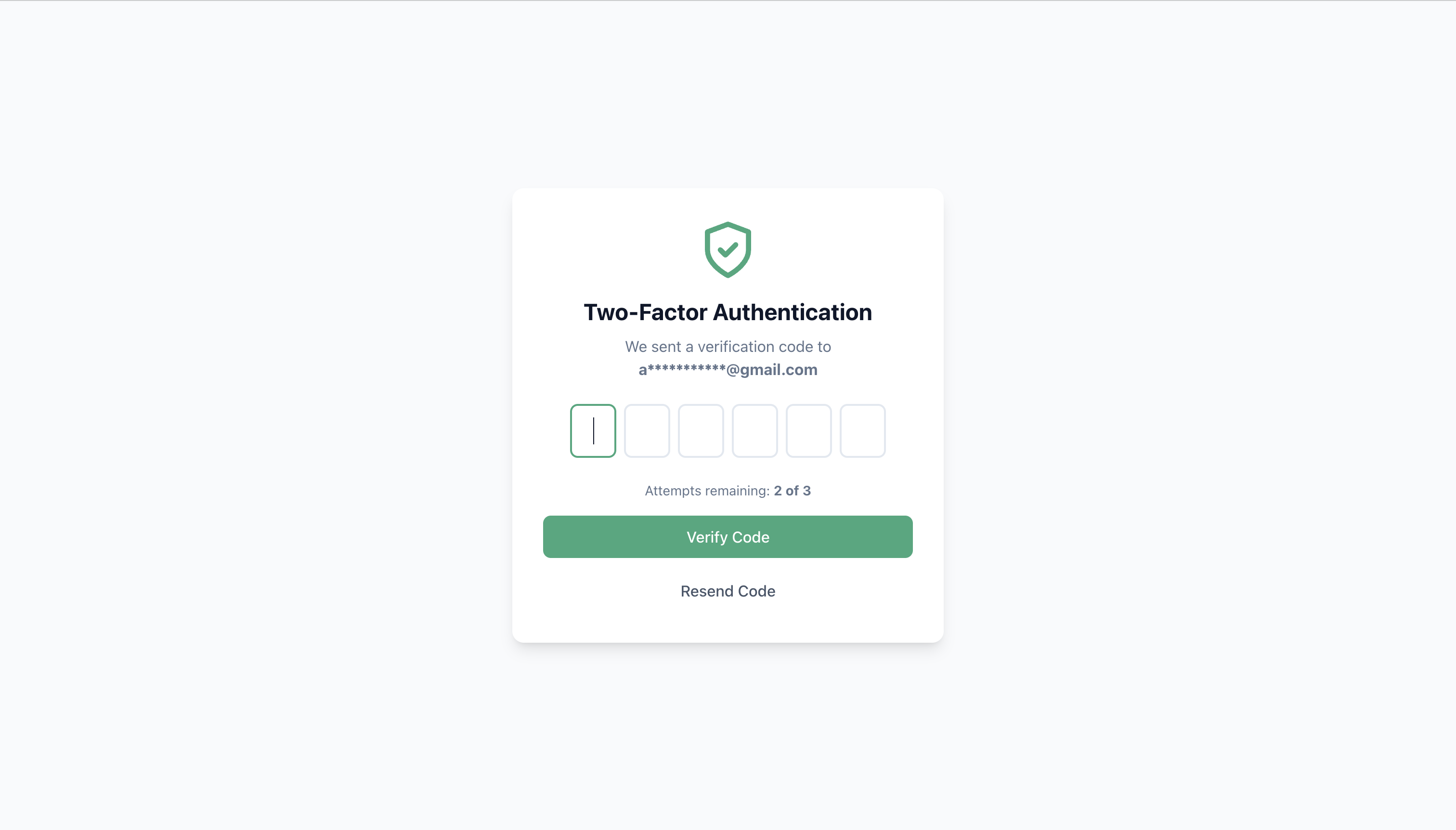
Authentication

- Email + password login (no self-registration)
- hCaptcha verification on login (bot protection)
- 2FA via email (6-digit code, 3 attempts/day)
- JWT session cookie (
session_token, 24h expiry) - Account lockout after failed attempts
Dashboard

- Platform stats (total reports, pending, fixed, agencies)
- Quick actions (view pending reports, assignments)
- Recent activity feed
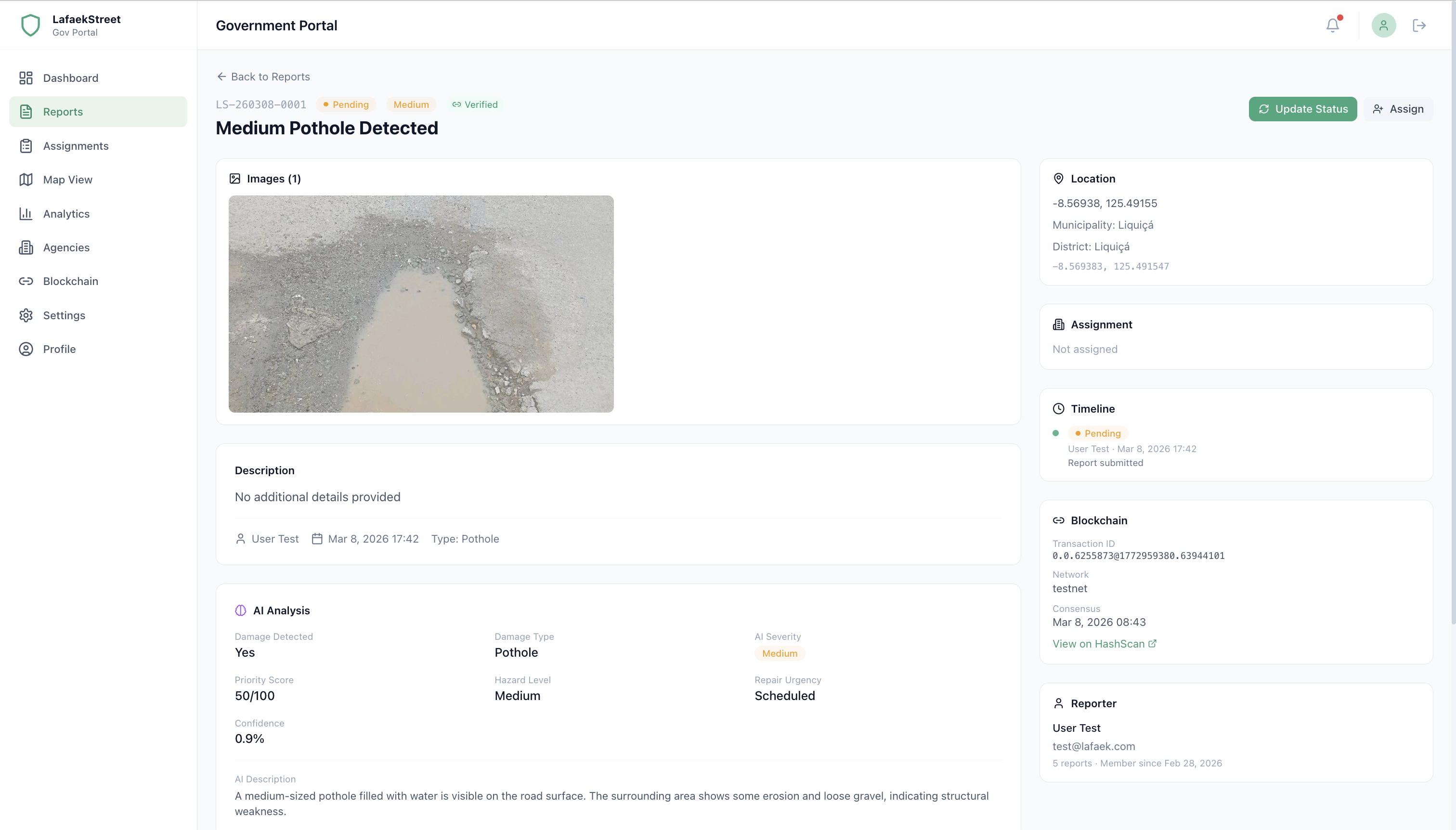
Reports Management
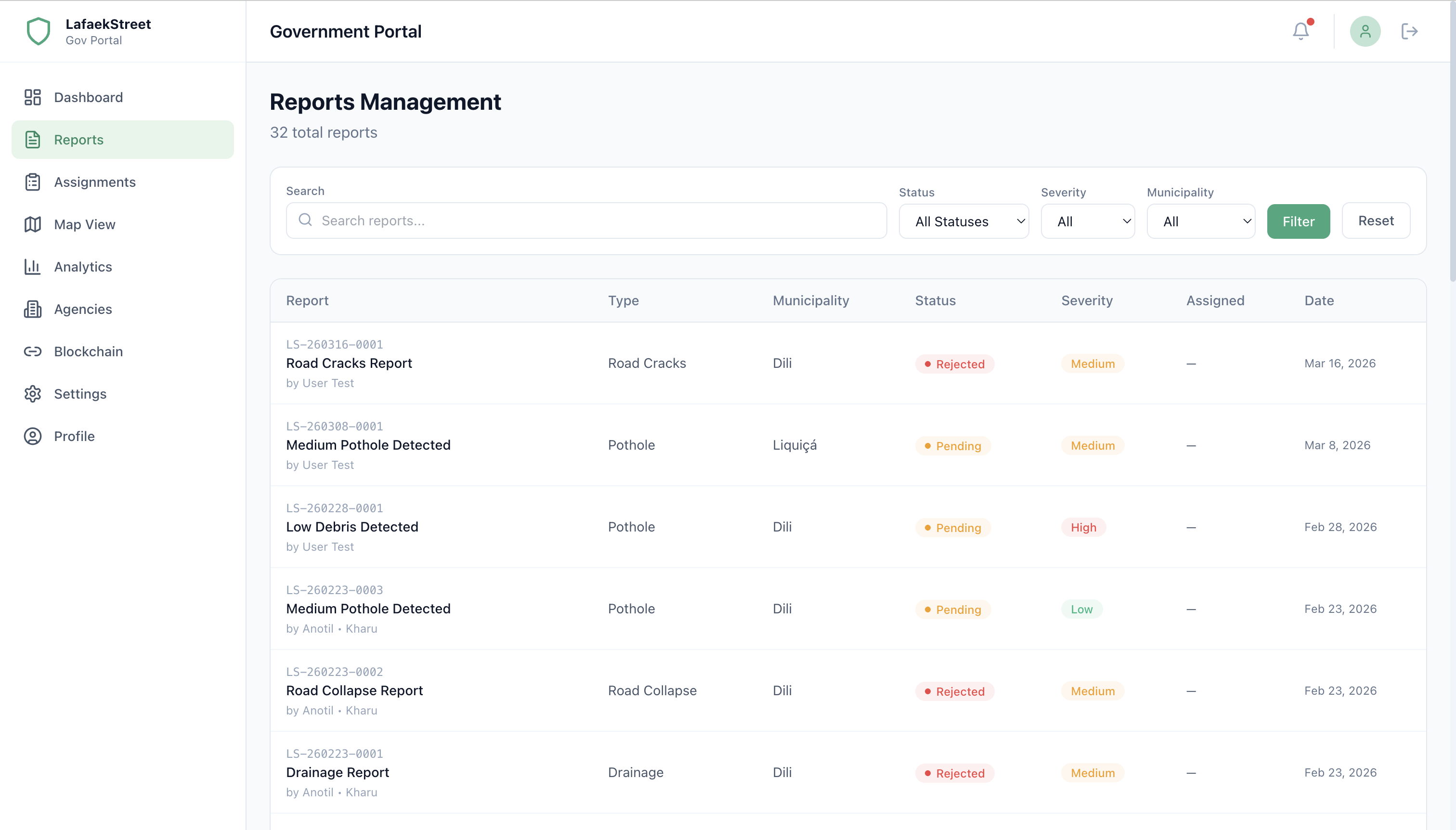
- View all reports with filters (status, severity, municipality, date range)
- Report detail with AI analysis, images, comments, status history
- Update report status (pending, under review, in progress, fixed, rejected)
- Assign/reassign reports to agencies
- Add official comments
Assignments

- View reports assigned to your agency
- Filter by status and priority
Map View
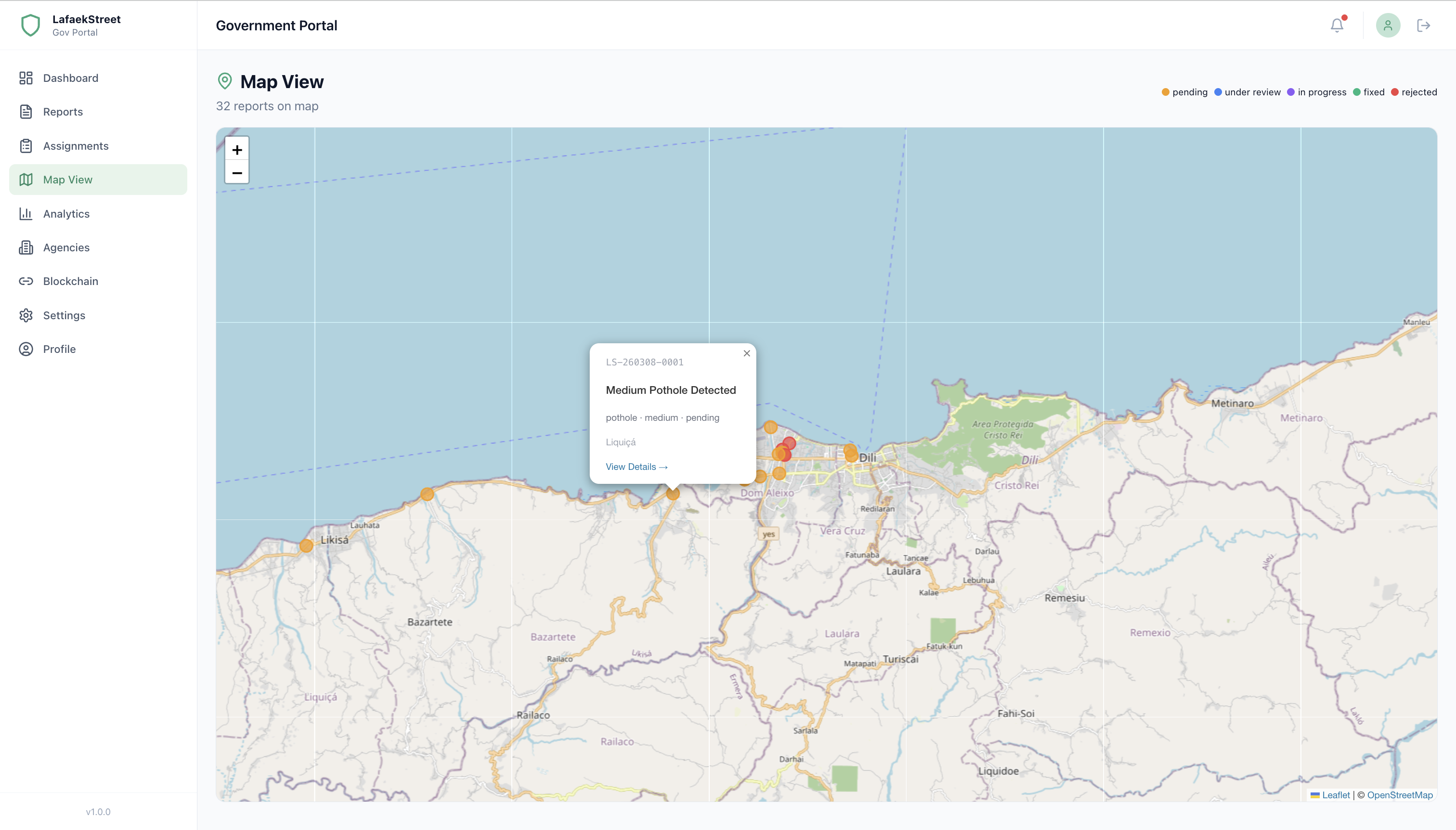
- Interactive OpenStreetMap with report markers
- Filter by status, severity, municipality
- Click markers to view report details
Analytics
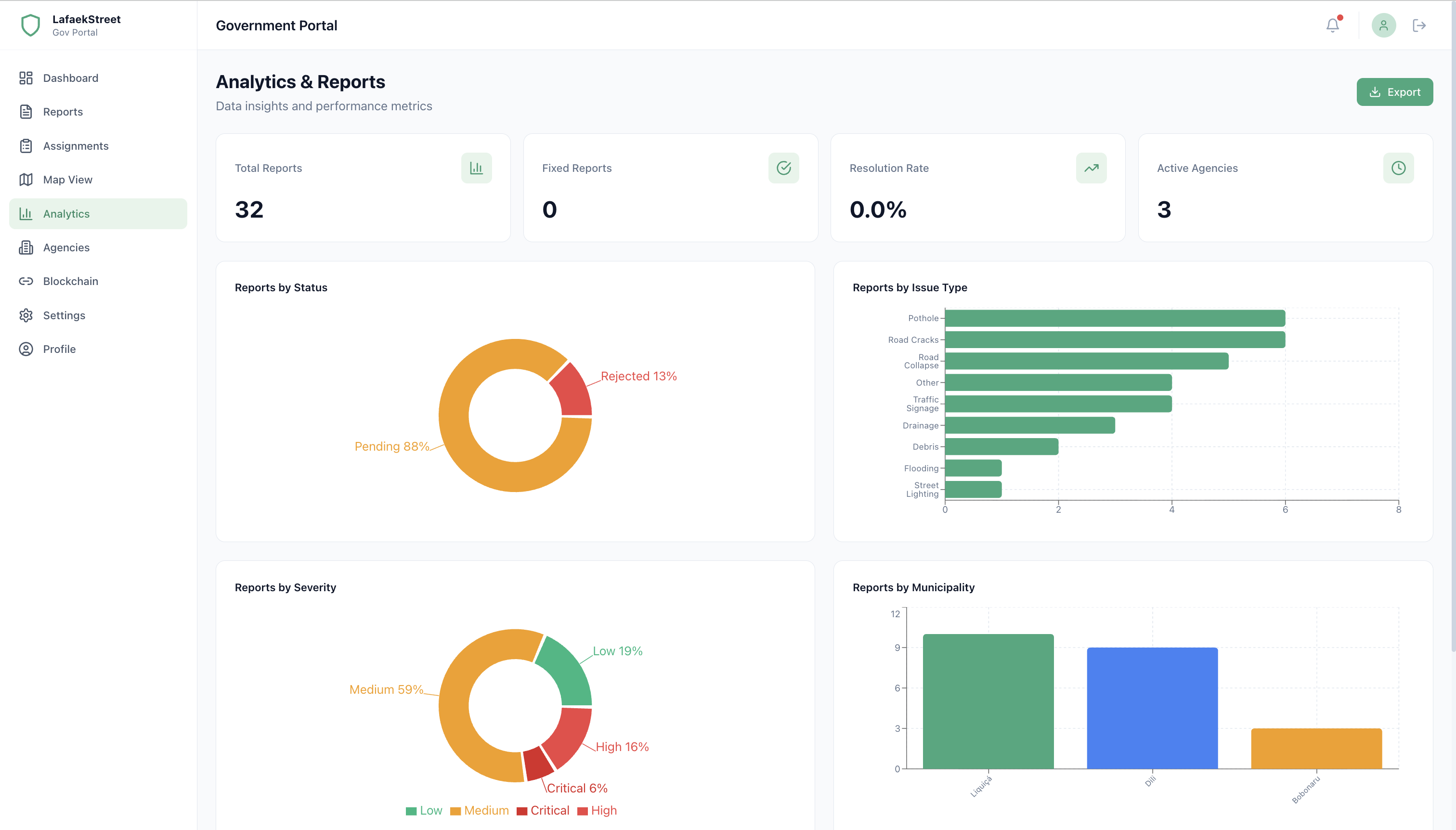
- Report distribution by status, type, severity (recharts)
- Agency performance table
- Export data as CSV, Excel, or PDF
Agency Management

- View agency list and details
- Create new agencies
- Edit agency information
Blockchain Verification
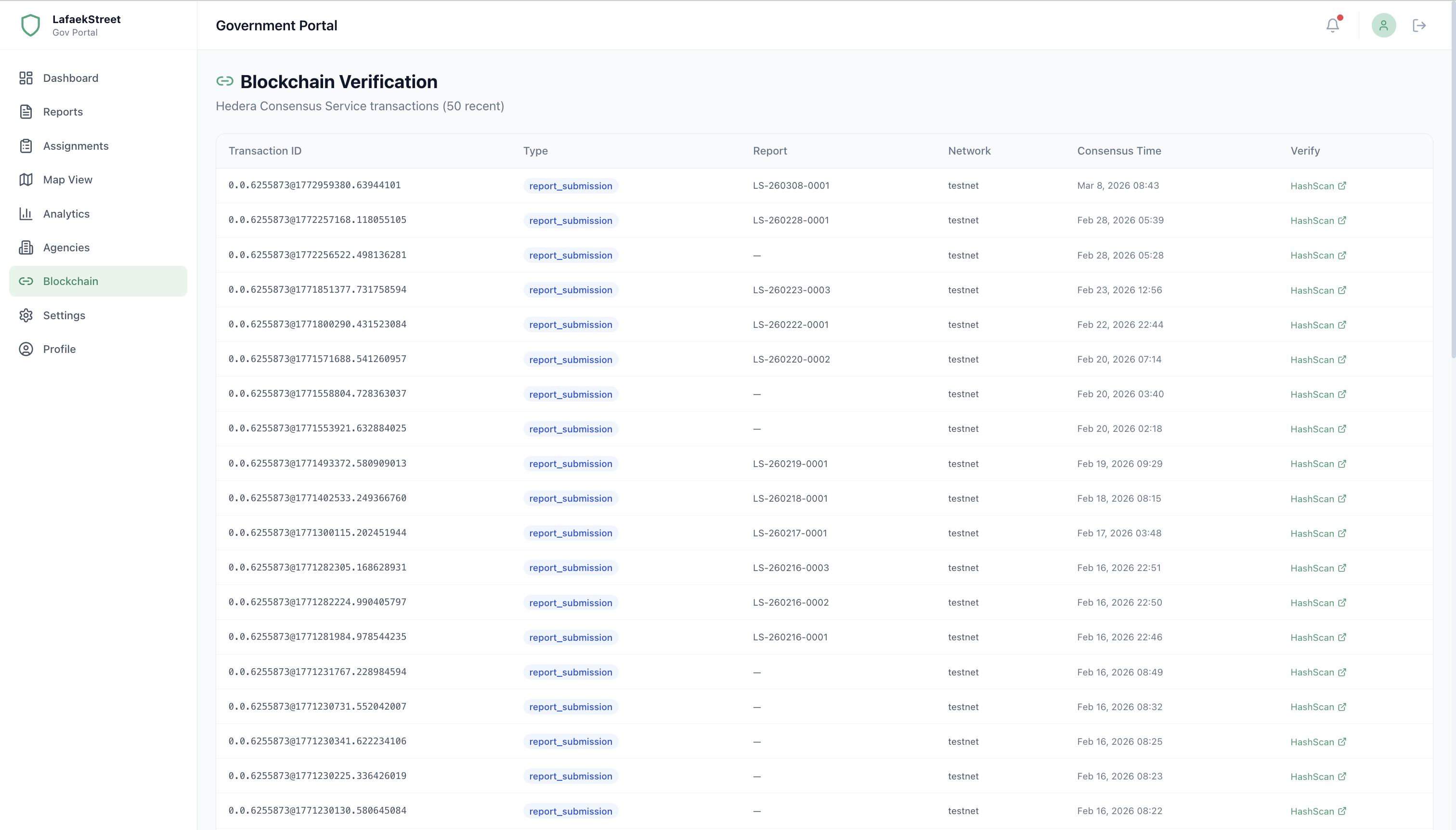
- View Hedera transaction records
- Verify report immutability via HashScan
Profile & Settings
- Edit profile and change password
- View system settings
Project Structure
lafaekstreet_govportal/
├── prisma/schema.prisma          # Shared database schema
├── src/
│   ├── app/
│   │   ├── (auth)/               # Login, 2FA, Locked pages
│   │   ├── (dashboard)/          # Protected pages with sidebar
│   │   │   ├── dashboard/        # Home dashboard
│   │   │   ├── reports/          # Report list + detail
│   │   │   ├── assignments/      # Agency assignments
│   │   │   ├── map/              # Map view
│   │   │   ├── analytics/        # Charts + export
│   │   │   ├── agencies/         # Agency CRUD
│   │   │   ├── blockchain/       # Hedera verification
│   │   │   ├── settings/         # System settings
│   │   │   └── profile/          # User profile
│   │   └── api/                  # API routes
│   ├── components/               # Reusable UI components
│   ├── lib/                      # Prisma, auth, utils, constants
│   └── services/                 # Data fetching services
Quick Start
1. Install Dependencies
bash
cd lafaekstreet_govportal
npm install
2. Set Up Environment
bash
cp .env.example .env.local
# Edit .env.local with your database URL, JWT secret, SMTP config, hCaptcha keys
Required environment variables:
| Variable | Description |
|---|---|
DATABASE_URL | PostgreSQL connection string |
JWT_SECRET | Secret key for session tokens |
SMTP_HOST | SMTP server (e.g. smtp.gmail.com) |
SMTP_PORT | SMTP port (e.g. 587) |
SMTP_USERNAME | SMTP email account |
SMTP_PASSWORD | SMTP email password |
NEXT_PUBLIC_HCAPTCHA_SITE_KEY | hCaptcha site key (public) |
HCAPTCHA_SECRET_KEY | hCaptcha secret key (server-side) |
3. Generate Prisma Client
bash
npx prisma generate4. Start Development Server
bash
npm run dev
# Opens at http://localhost:3001
5. Login
Use credentials from the government_agencies table. A 2FA code will be sent to the agency's email.
Database User
This portal uses a dedicated PostgreSQL user lafaekstreet_govportal with least privilege permissions. See Database/user/gov_portal/ for setup.
Available Scripts
| Command | Description |
|---|---|
npm run dev | Start dev server on port 3001 |
npm run build | Production build |
npm run start | Start production server |
npm run lint | Run ESLint |
npm run type-check | TypeScript type checking |
npm run db:generate | Generate Prisma client |
npm run db:studio | Open Prisma Studio |
Port Allocation
| App | Port | URL |
|---|---|---|
| Public Dashboard | 3000 | https://lafaekstreet.com |
| Gov Portal | 3001 | https://gov.lafaekstreet.com |
| Admin Panel | 3002 | Local Only |
| Backend API | 8000 | https://api.lafaekstreet.com |
Built for Timor-Leste