
LafaekStreet - Citizen Mobile App



Empowering Timor-Leste Citizens Through AI and Blockchain-Powered Civic Engagement
Report road infrastructure issues • AI-powered validation • Blockchain transparency • Works offline
📱 About
LafaekStreet is a mobile application that enables citizens of Timor-Leste to report and track road infrastructure issues. Built with Flutter for cross-platform support (iOS & Android), the app combines offline-first architecture, AI-powered image analysis, and blockchain transparency to create a reliable civic engagement platform.
Key Features
- 📸 Photo-based Reporting - Document issues with camera integration
- 📍 GPS Location Tracking - Automatic high-accuracy location capture
- 🌐 Offline-First - Create reports without internet, auto-sync when online
- 🤖 AI Validation - Amazon Bedrock validates image relevance and assesses damage severity
- 🛡️ Smart Rejection - Auto-rejects irrelevant images (selfies, food, etc.) before processing
- ⛓️ Blockchain Verified - Immutable records on Hedera network
- 🗺️ OpenStreetMap - Free, accessible mapping with tile caching
- 🔐 Google Sign-In - Fast, passwordless authentication
- 🌍 Multi-Language - Tetum, Portuguese, and English support
🏗️ Architecture
Technology Stack
| Layer | Technology | Purpose |
|---|---|---|
| Framework | Flutter/Dart | Cross-platform mobile development |
| State Management | Provider | Reactive UI updates |
| Local Database | Hive | Offline report storage |
| Secure Storage | flutter_secure_storage | JWT token encryption |
| Maps | flutter_map + OpenStreetMap | Free mapping with offline caching |
| Location | geolocator + geocoding | GPS and reverse geocoding |
| Camera | image_picker | Photo capture |
| Networking | dio | API communication |
| Backend | FastAPI (Python) | REST API server |
System Architecture
🔐 Authentication Flow
🚀 Getting Started
Prerequisites
- Flutter SDK 3.27.1 or higher
- Dart 3.0 or higher
- Android Studio / Xcode (for mobile development)
- Git
Installation
Clone the repository
bashgit clone https://github.com/ajitonelsonn/lafaekstreet.git cd lafaekstreet/lafaekstreet_appInstall dependencies
bashflutter pub getConfigure environment
Create
.envfile in the project root:bashAPI_BASE_URL=https://api.lafaekstreet.com GOOGLE_CLIENT_ID=your-google-client-idRun the app
bash# Development mode flutter run # Release mode flutter run --release
Platform-Specific Setup
Android
Update
android/app/build.gradle:gradleandroid { compileSdkVersion 34 minSdkVersion 21 targetSdkVersion 34 }Add permissions in
android/app/src/main/AndroidManifest.xml:xml<uses-permission android:name="android.permission.INTERNET"/> <uses-permission android:name="android.permission.ACCESS_FINE_LOCATION"/> <uses-permission android:name="android.permission.ACCESS_COARSE_LOCATION"/> <uses-permission android:name="android.permission.CAMERA"/>
iOS
Update
ios/Runner/Info.plist:xml<key>NSLocationWhenInUseUsageDescription</key> <string>We need your location to mark where the issue is</string> <key>NSCameraUsageDescription</key> <string>We need camera access to take photos of issues</string>Set minimum iOS version in
ios/Podfile:rubyplatform :ios, '12.0'
📱 Report Lifecycle
📖 How It Works
Report Creation Flow
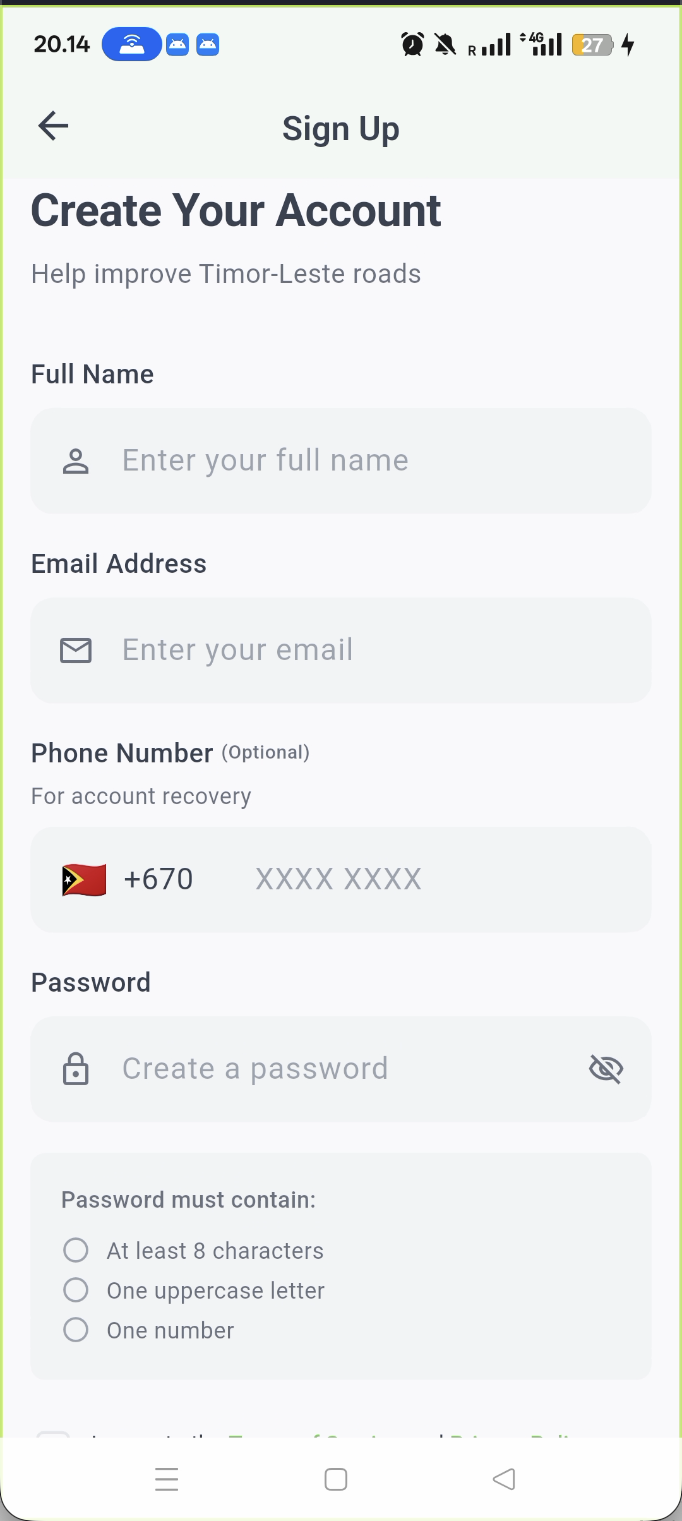
- Authentication - Login with Google or email/password
- Issue Selection - Choose issue type (pothole, flooding, etc.)
- Photo Capture - Take 1 photo of the problem
- Location - GPS automatically captures coordinates
- Details - Add title, description, and severity
- Submit - Report sent to backend or saved offline
Online Mode
When internet is available:
- Report uploaded immediately to backend
- AI validates image relevance first — irrelevant images (selfies, food, etc.) auto-reject the report
- If relevant: AI analyzes damage severity via Amazon Bedrock
- Blockchain record created on Hedera (skipped if report rejected)
- Address resolved via OpenStreetMap
- Instant confirmation with report number
Offline Mode
When internet is unavailable:
- Report saved to local Hive database
- GPS coordinates captured (works offline)
- Images stored locally
- Auto-syncs when connectivity restored
- Address added during sync
Automatic Synchronization
The app monitors connectivity and automatically:
- Detects when internet is restored
- Validates authentication token
- Uploads pending reports sequentially
- Performs reverse geocoding for addresses
- Uploads images to AWS S3
- Deletes synced reports from device
🎨 Features
Core Functionality
Report Management
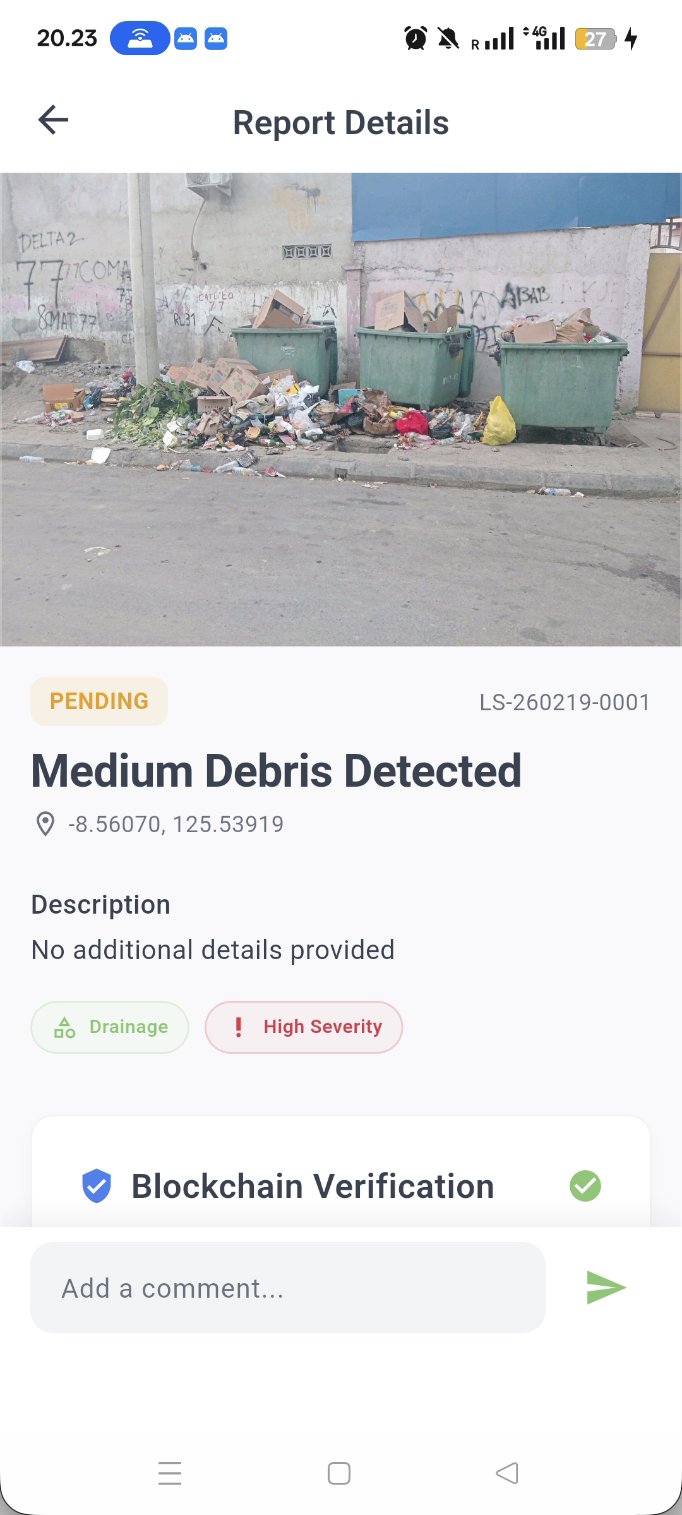
- Create reports with photos and location
- View all your submitted reports
- Track report status (Pending → In Progress → Fixed)
- Edit/delete pending reports
- View AI analysis results
- Verify reports on blockchain
Offline Support
- Create reports without internet
- Local storage with Hive database
- Automatic sync when online
- Stuck report recovery (5-minute timeout)
- Storage usage monitoring (100MB limit)
Map Integration
- Interactive OpenStreetMap
- Tile caching for offline viewing
- Report markers with status colors
- Current location tracking
- Address search and reverse geocoding
AI-Powered Features
- Image relevance validation — auto-rejects irrelevant photos (selfies, food, memes, etc.)
- Automatic damage image analysis
- Damage severity assessment
- Issue type classification
- Confidence scoring
- Duplicate detection
Blockchain Transparency
- Immutable report records
- Cryptographic proof of submission
- Public verification via transaction ID
- Tamper-proof audit trail
User Interface

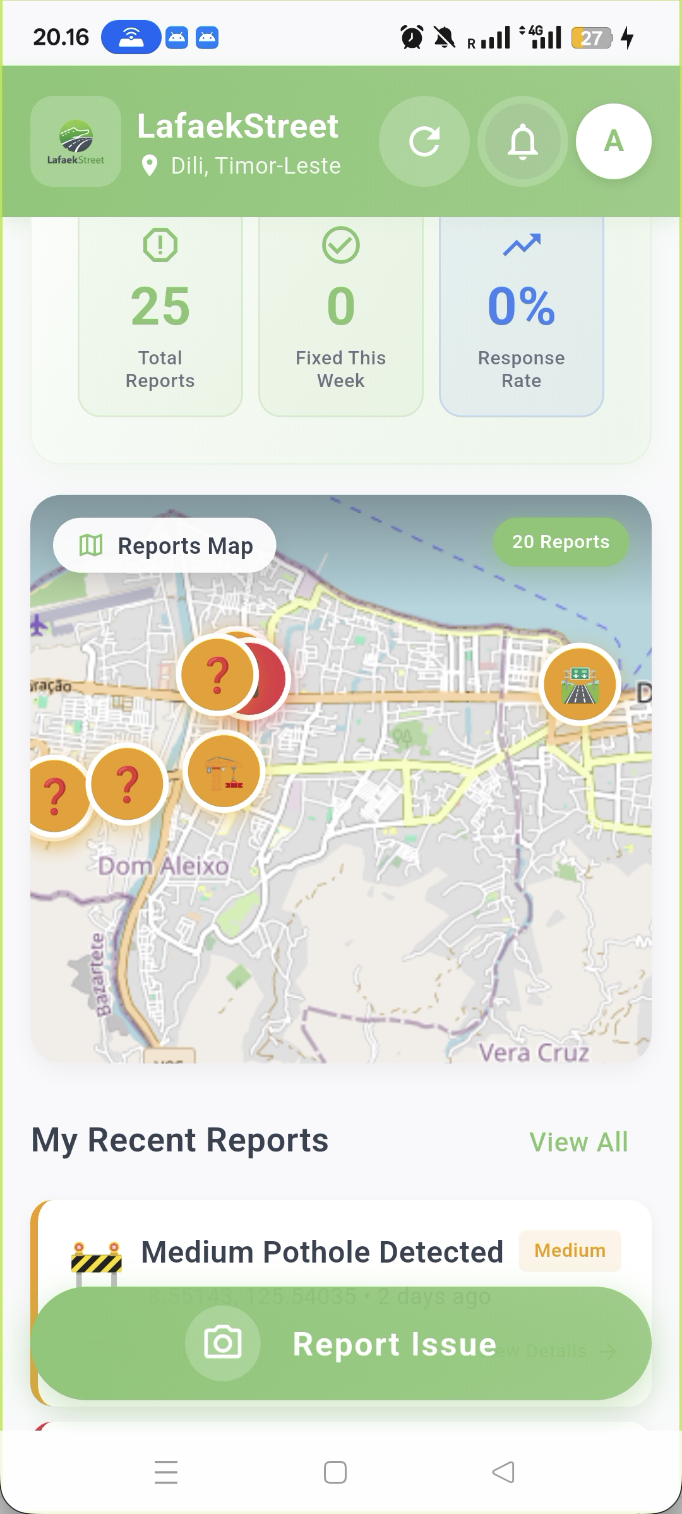
Home Screen
- Beautiful gradient header
- Community impact statistics
- Interactive map with cached tiles
- Recent reports feed
- Prominent "Report Issue" button
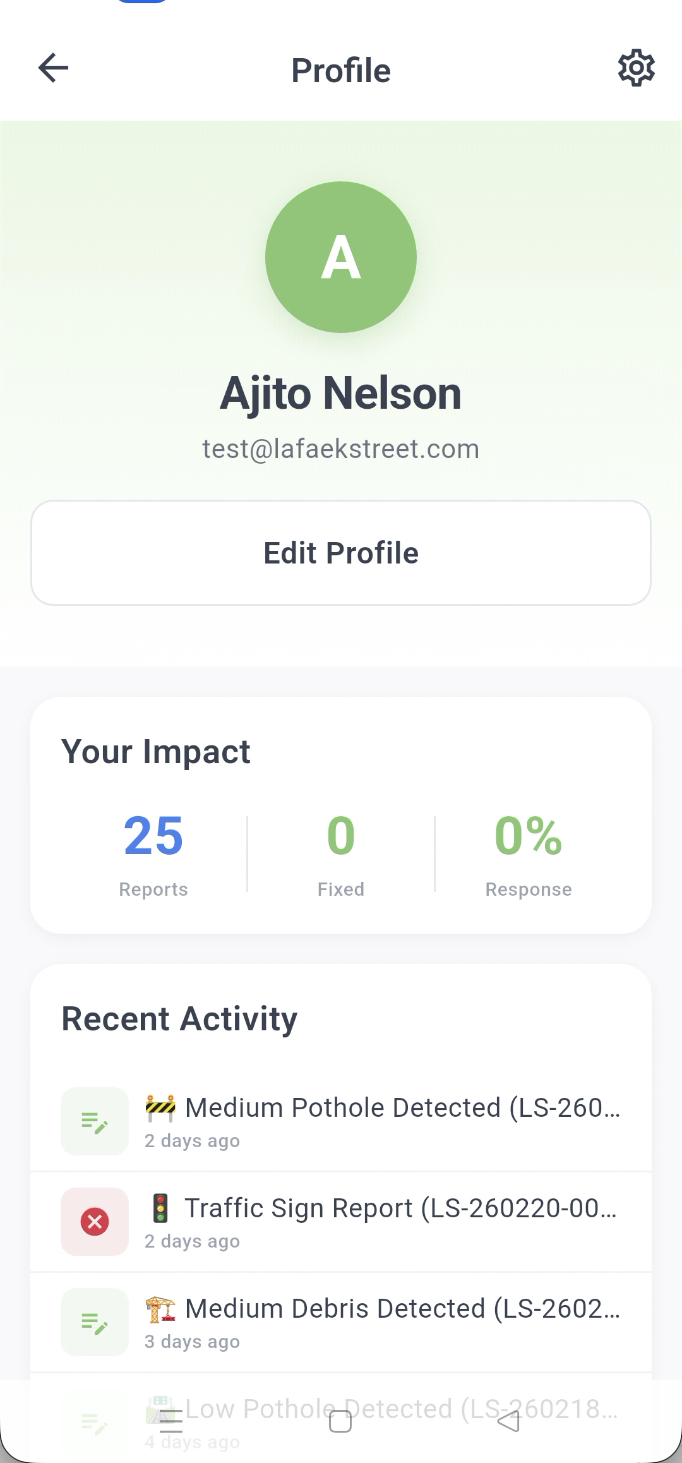
Profile Screen
- User information
- Report statistics
- Offline reports access
- Settings and preferences
- Logout option
Create Report Screen
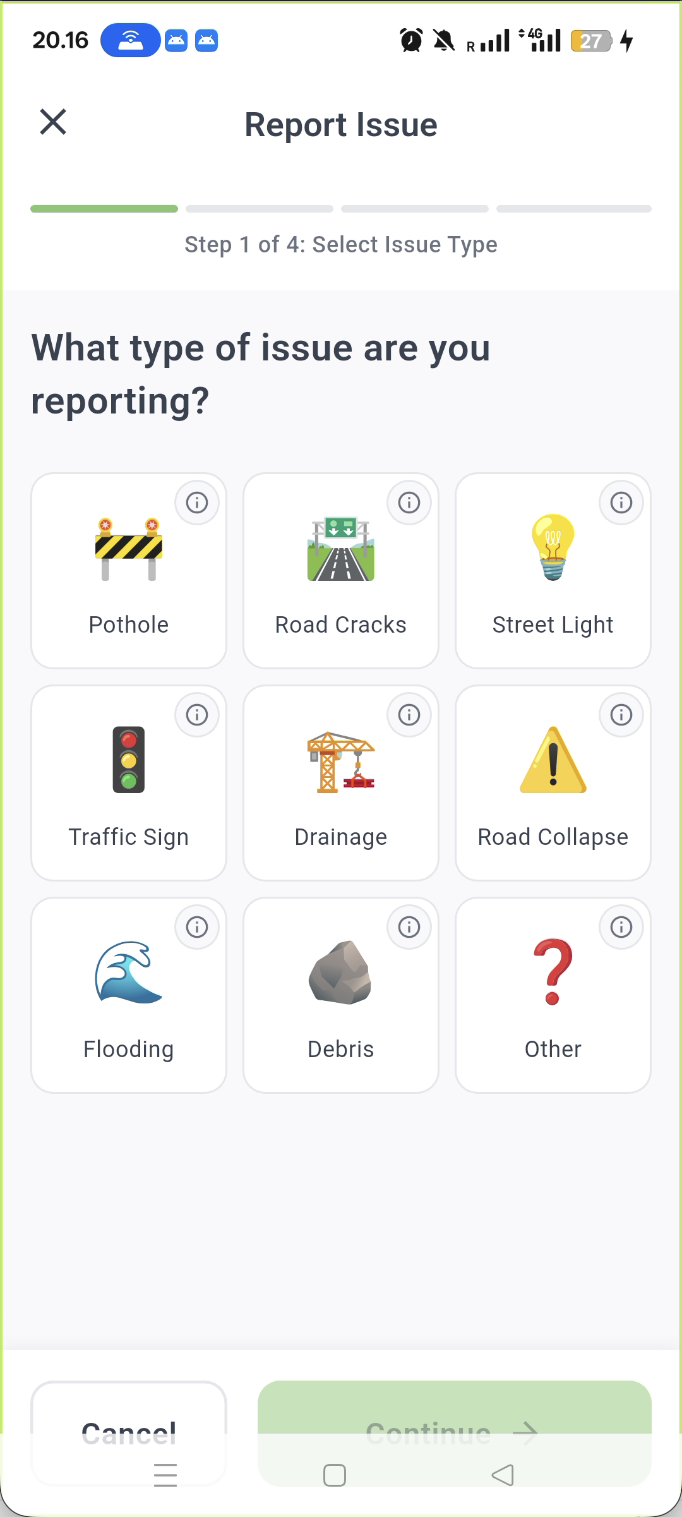
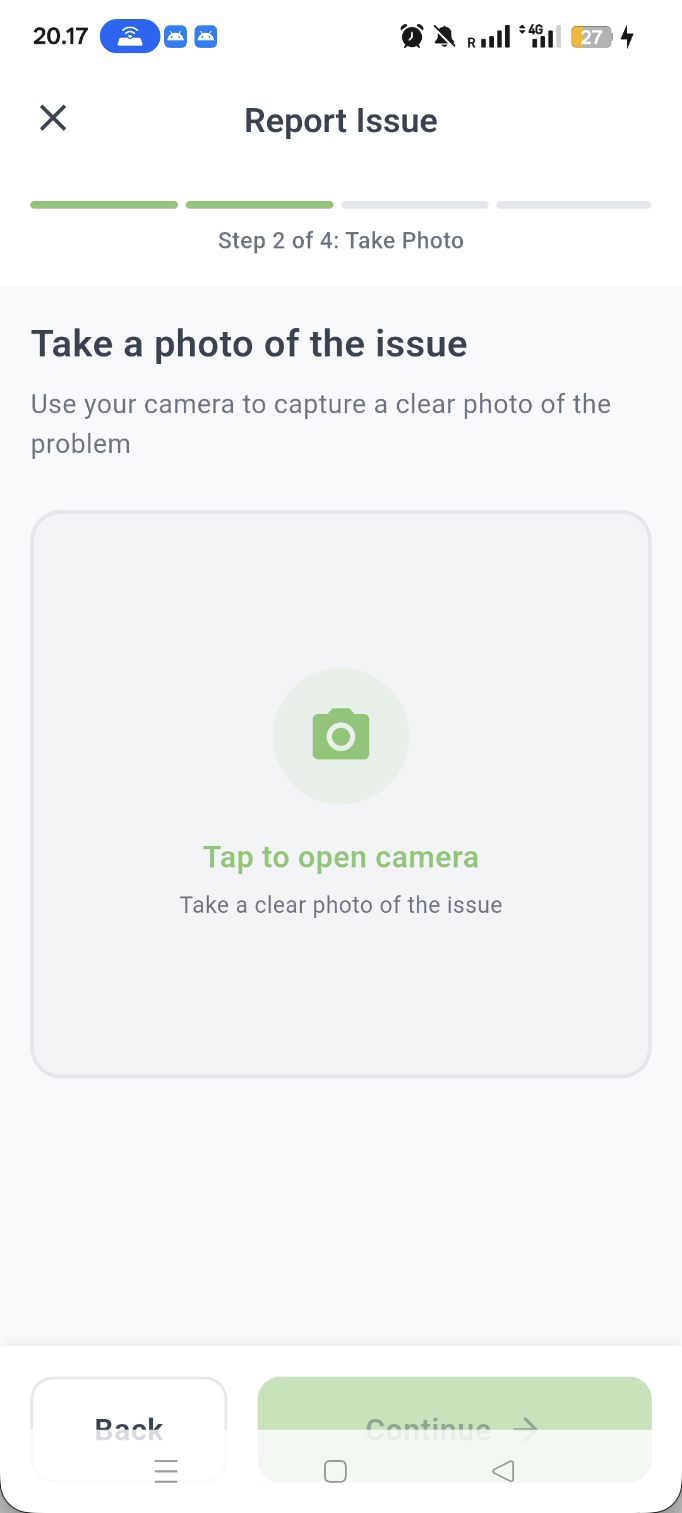
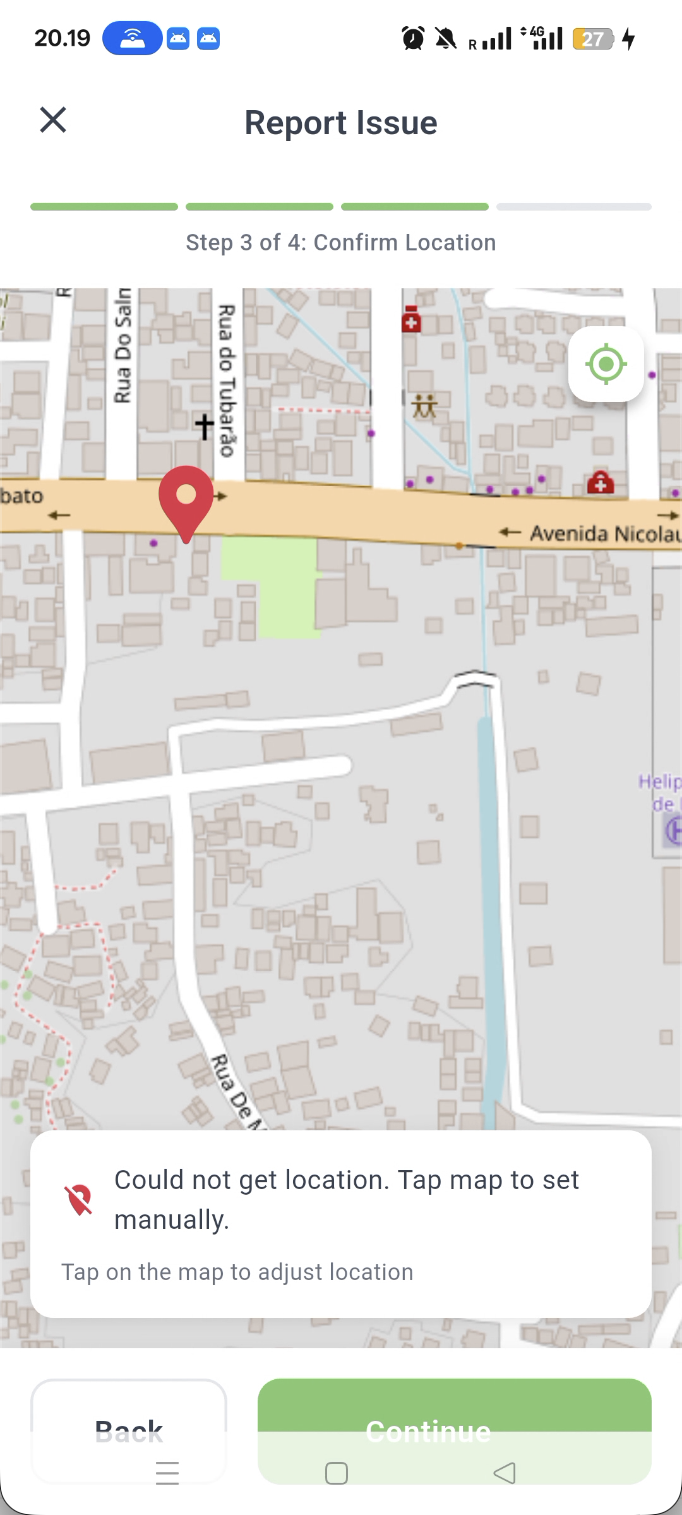
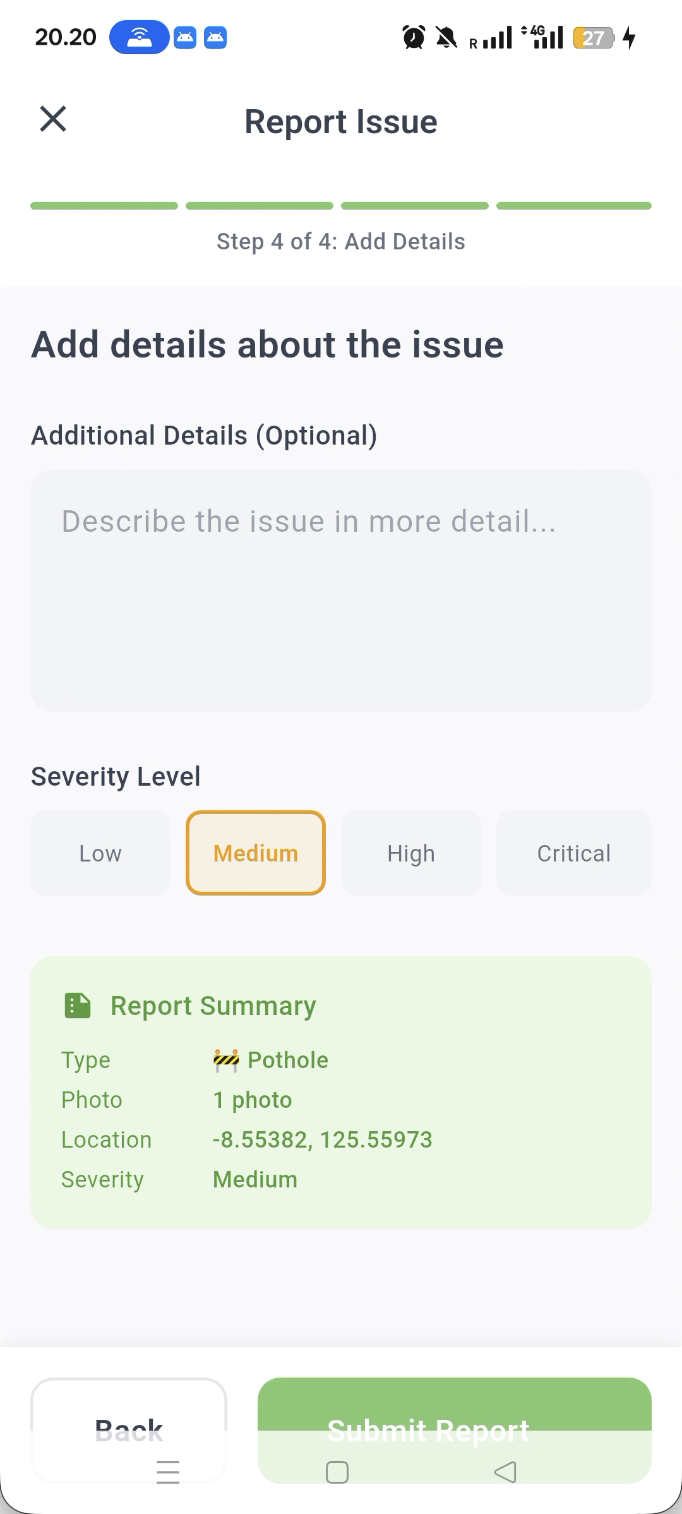
- Step-by-step wizard
- Issue type selection with images
- Camera integration
- Location confirmation
- Review before submit
Offline Reports Screen

- List of pending reports
- Status badges (Pending/Syncing/Failed)
- Edit and delete options
- Manual sync trigger
- Storage usage indicator
🔔 Notification System
🔐 Security
Authentication
- JWT token-based authentication
- Google OAuth 2.0 integration
- Secure token storage (encrypted)
- Local token validation
- Automatic token refresh
Data Protection
- HTTPS/TLS 1.3 for all API calls
- Encrypted local storage (Hive)
- Secure image storage (app-private directory)
- No sensitive data in logs
- Token cleared on logout
Privacy
- Users see only their own reports
- Email verification required
- Location data used only for reports
- Images stored securely
- GDPR-compliant data handling
Security Architecture
📊 Technical Details
Dependencies
dependencies:
  # Core
  flutter:
    sdk: flutter

  # State Management
  provider: ^6.1.0

  # Networking
  dio: ^5.4.0
  connectivity_plus: ^5.0.2

  # Maps & Location
  flutter_map: ^6.1.0
  flutter_map_cache: ^2.0.0
  latlong2: ^0.9.0
  geolocator: ^11.0.0
  geocoding: ^2.2.0

  # Storage
  hive: ^2.2.3
  hive_flutter: ^1.1.0
  flutter_secure_storage: ^9.0.0
  shared_preferences: ^2.2.2
  path_provider: ^2.1.2

  # Media
  image_picker: ^1.0.7
  cached_network_image: ^3.3.1
  image: ^4.1.7

  # UI
  intl: ^0.19.0

  # Authentication
  google_sign_in: ^6.2.1
Project Structure
lib/
├── main.dart                    # App entry point
├── core/
│   ├── theme/                   # App theme & colors
│   ├── constants/               # Constants & configs
│   └── utils/                   # Utility functions
├── models/                      # Data models
│   ├── report.dart
│   ├── user.dart
│   └── offline_report.dart
├── providers/                   # State management
│   ├── auth_provider.dart
│   ├── report_provider.dart
│   ├── sync_provider.dart
│   └── notification_provider.dart
├── services/                    # Business logic
│   ├── api_service.dart
│   ├── auth_service.dart
│   ├── report_service.dart
│   ├── offline_service.dart
│   ├── sync_service.dart
│   ├── location_service.dart
│   ├── connectivity_monitor.dart
│   └── auth_validator.dart
├── screens/                     # UI screens
│   ├── auth/
│   ├── home/
│   ├── report/
│   ├── profile/
│   ├── offline/
│   └── notifications/
└── widgets/                     # Reusable widgets
    ├── common/
    ├── cards/
    └── offline/
Database Schema (Hive)
@HiveType(typeId: 0)
class OfflineReport extends HiveObject {
  @HiveField(0) String id;              // UUID
  @HiveField(1) String userId;
  @HiveField(2) String title;
  @HiveField(3) String description;
  @HiveField(4) String issueType;
  @HiveField(5) String severity;
  @HiveField(6) double latitude;
  @HiveField(7) double longitude;
  @HiveField(8) double accuracy;
  @HiveField(9) String? address;
  @HiveField(10) List<String> imagePaths;
  @HiveField(11) String syncStatus;     // pending/syncing/failed/synced
  @HiveField(12) DateTime createdAt;
  @HiveField(13) DateTime? lastSyncAttempt;
  @HiveField(14) int syncAttemptCount;
  @HiveField(15) String? lastSyncError;
  @HiveField(16) int totalSizeBytes;
}
🧪 Testing
Run Tests
# Unit tests
flutter test

# Integration tests
flutter test integration_test/

# Property-based tests
flutter test test/property/
Test Coverage
# Generate coverage report
flutter test --coverage
genhtml coverage/lcov.info -o coverage/html
open coverage/html/index.html
Debug Tools
# Run with debug logs
flutter run --verbose

# Inspect Hive database
flutter run --debug
# Then use the debug button in Offline Reports screen

# Check offline reports
./debug_offline_reports.sh
📚 Documentation
- How Report Creation Works - Complete guide to report creation
- How to Make Deployment - Complete guide for deployment
- Backend for this app - Complete doc for backend
🔧 Configuration
Environment Variables
Create .env file:
# API Configuration
API_BASE_URL=https://api.lafaekstreet.com
API_TIMEOUT=30000

# Google OAuth
GOOGLE_CLIENT_ID=your-client-id-here

# Feature Flags
ENABLE_OFFLINE_MODE=true
ENABLE_MAP_CACHING=true
ENABLE_DEBUG_TOOLS=false

# Storage
MAX_OFFLINE_STORAGE_MB=100
MAX_IMAGE_SIZE_MB=10
IMAGE_QUALITY=85
Build Configuration
# Development
flutter build apk --debug

# Production
flutter build apk --release --obfuscate --split-debug-info=build/debug-info

# iOS
flutter build ios --release
🙏 Acknowledgments
- Hedera Network - Blockchain infrastructure
- Amazon Web Services - Cloud services (S3, KMS, Bedrock)
- OpenStreetMap - Free mapping data
- Flutter Team - Amazing framework
- Timor-Leste Citizens - For inspiring this project
Built with ❤️ for Timor-Leste
Where citizens' voices meet blockchain's permanence, AI's intelligence, and government's responsibility.